Antiqua Nova
Digital Tools for Researchers
All services

Digital Tools for Researchers

About this service

Development of web applications for specific tasks in research work, where existing software does not fit the job or is not available at all. If part of your own work is repetitive – the same handling of documents, images or data over and over – it can usually be automated. Get in touch and we can look at it.

Three such tools are finished and free to use. All three deal with book digitisation: splitting scanned spreads into single pages, cleaning the scan, and searching the finished text. All of them run in the browser, on your own machine.

From scanner to searchable book

Four steps turn a scanned book into a searchable PDF. Everything runs on your own machine: there is no server, and nothing is uploaded.

  • No upload
  • No account
  • No page limit
  1. 01

    Split

    Book Scan Splitter

    Two-page sheets are cut into single pages, straightened and trimmed.

  2. 02

    Clean

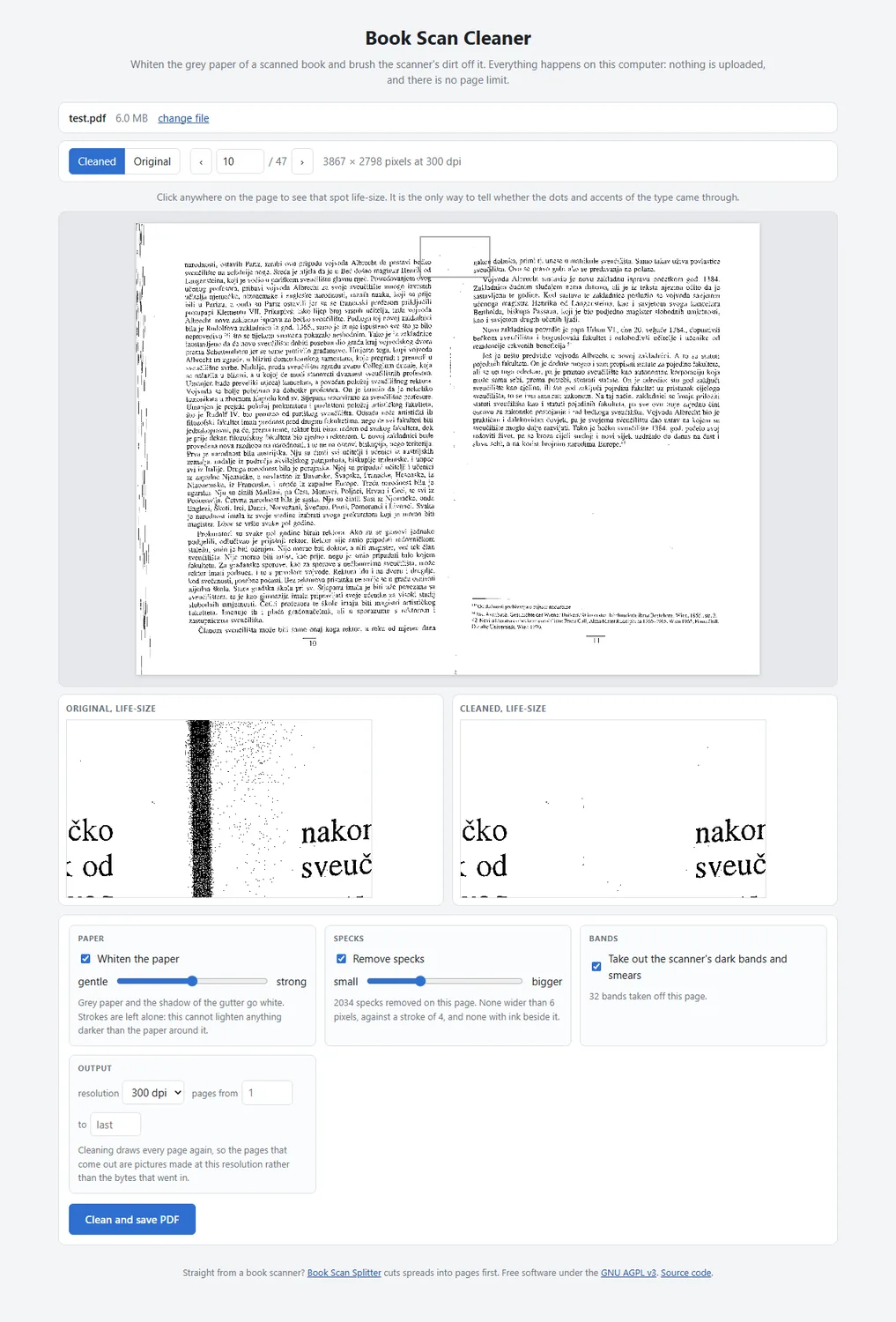
    Book Scan Cleaner

    Grey paper, gutter shadows and scanner dust are removed. OCR reads a clean page far more accurately.

  3. 03

    Recognise

    gImageReader

    OCR places searchable text behind the scanned images. Free, works offline, and supports English, Croatian, Latin and many more.

    Third-party software

  4. 04

    Read

    Research PDF Reader

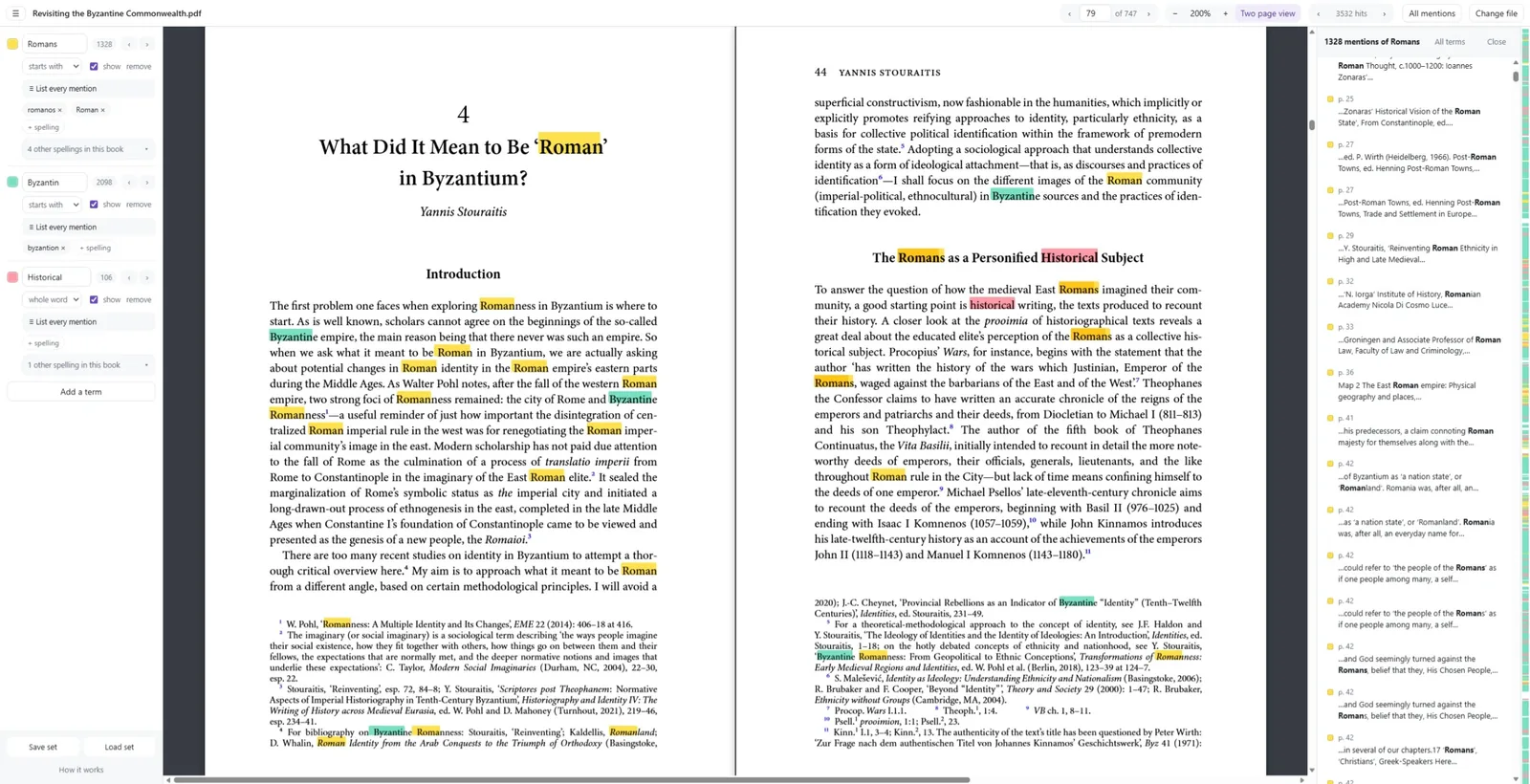
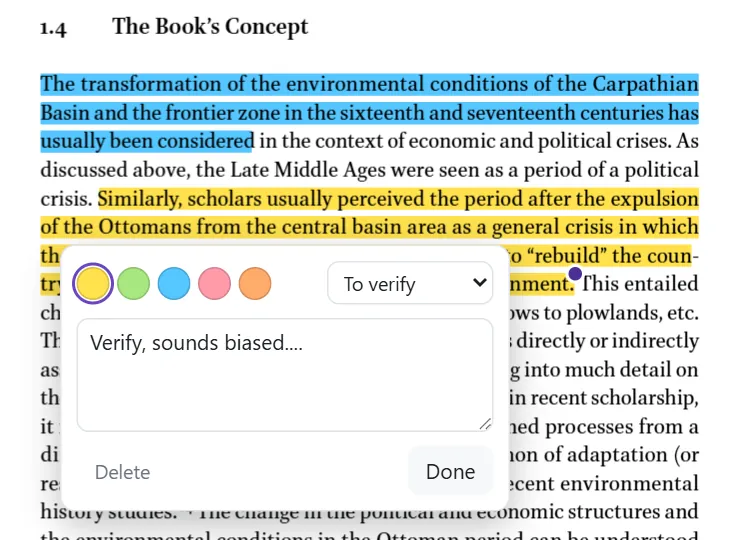
    The finished PDF can be searched for several terms at once, together with their spelling variants, and annotated with highlights and comments.

01

Book Scan Splitter

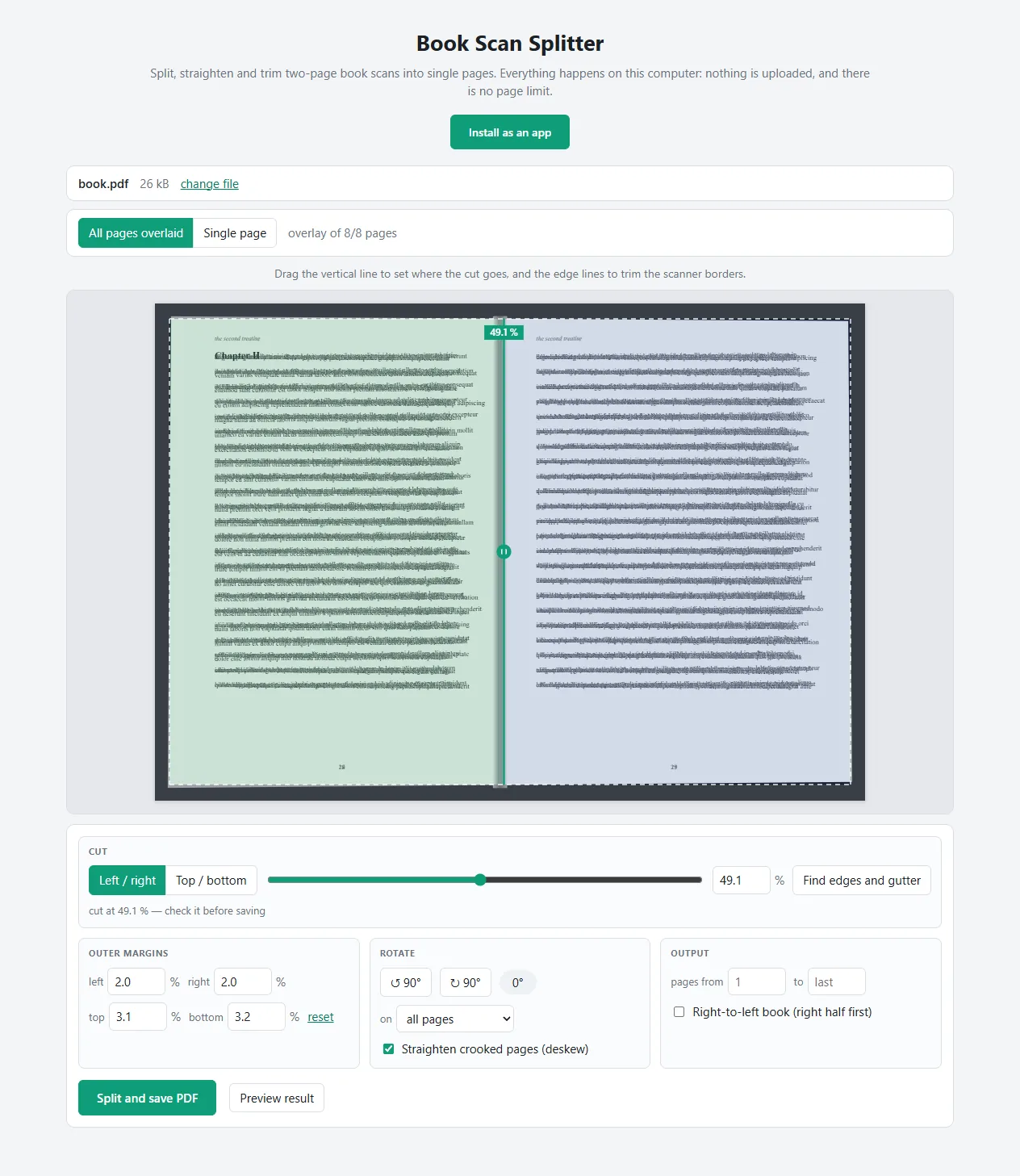
A book scanner photographs the book open, so each image contains two pages – usually slightly crooked and framed by a black border. The first job is to split them into single pages.

The application cuts each sheet at the gutter, straightens the two halves separately, and trims the borders. There is no limit on the number of pages, and the image data is not re-encoded, so the pages come out exactly as they went in.
02

Book Scan Cleaner

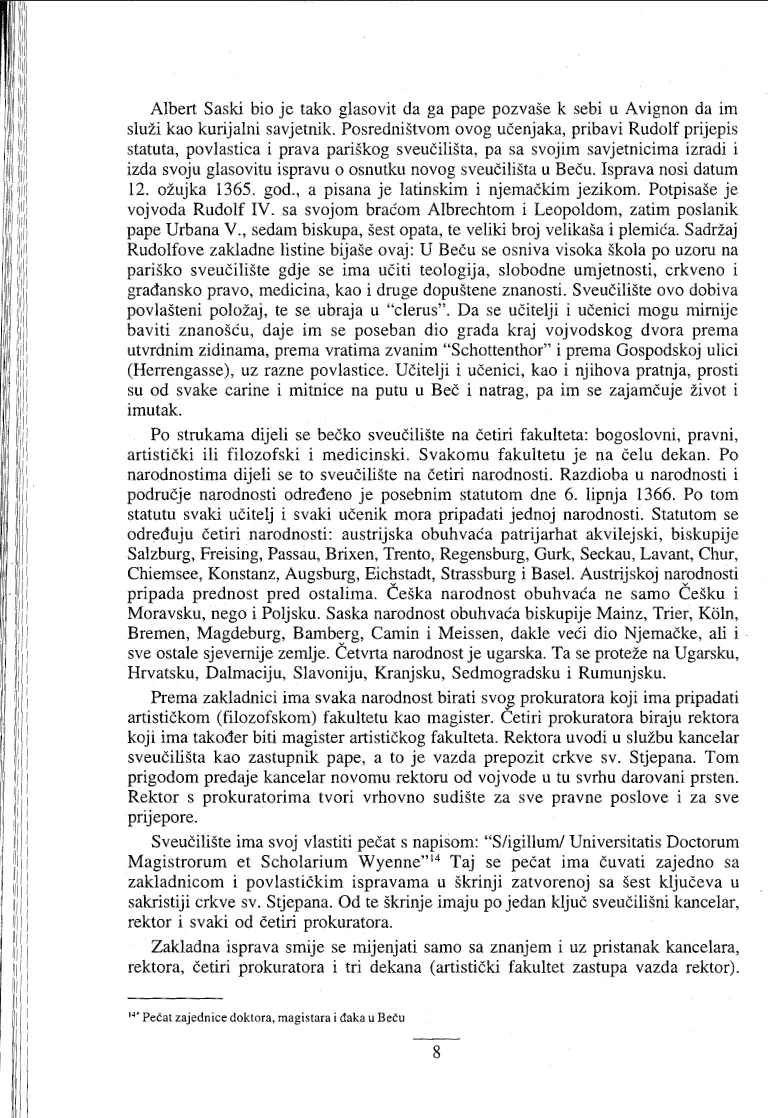
Book scans are lit unevenly. The paper comes out grey, each page darkens where it curves into the gutter, and the scanner glass leaves specks across the margins. This increases file size and reduces OCR accuracy.

The application whitens the paper section by section, so the type stays as dark as it was, and removes the shadows and specks. Small marks are removed only when they are smaller than the type on the page and stand clear of it, so that diacritics remain intact.

03

Research PDF Reader

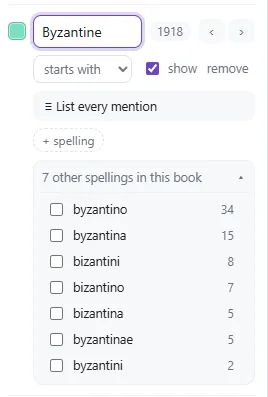
Searching for several terms at once, and for several spellings of each, is particularly useful to historians and anyone working with older sources. In them the same name appears in a range of different spellings, so an ordinary search – one word at a time, and only in the spelling that was typed – rarely finds all of it.

Each term gets its own colour on the page, and the variants are drawn from the book itself, so the ones you tick are counted as one. Every occurrence is listed in reading order with its page number. As you read, you can highlight and comment on passages, and export your notes to Markdown with their page numbers. The file has to be run through OCR beforehand, since the application searches text rather than recognising it.

Interested?

Get in touch and let's discuss your project.

Contact